Rumpelstiltskin AI Video Generator: Upload a Photo, Get the Tip Toe Clip
Use this Rumpelstiltskin AI video generator to put your face in the viral tip toe clip. Upload a photo for the little man, the woman in the hay, or both, pick a resolution and generate. New to the trend? Start at Tip Toeing in My Jordans AI.
From 10 credits per video · Sign in to generate · See pricing
No app · No watermark · Failed videos refunded automatically
Rumpelstiltskin AI video generator settings and credits
Every video is a 12-second, 16:9 widescreen MP4 with AI-generated sound. Pick a resolution; the exact cost is shown before you generate.
| Length | Standard 720p | HD 1080p |
|---|---|---|
| 12 s | 10 credits | 20 credits |
- Standard 720p: recommended, sharp enough for TikTok and Instagram. This is the default.
- HD 1080p: more detail, for bigger screens or further editing.
Videos made with purchased credits can be downloaded without a subscription. Compare packs on the pricing page.
Is the Rumpelstiltskin meme AI?
Yes. The original clip is AI-generated. AI artist Stroinaya and other accounts first posted it on Instagram on August 27, 2026, styled like a 1960s Technicolor fairy-tale film. The 1987 Rumpelstiltskin movie is real, but it has no such scene, and the clip has nothing to do with Shrek’s Rumpelstiltskin.
Your photos. See the transformation.
Add a photo for the little man, the woman in the hay, or both, then select Generate. This real example shows the video made from the 2 photos below.
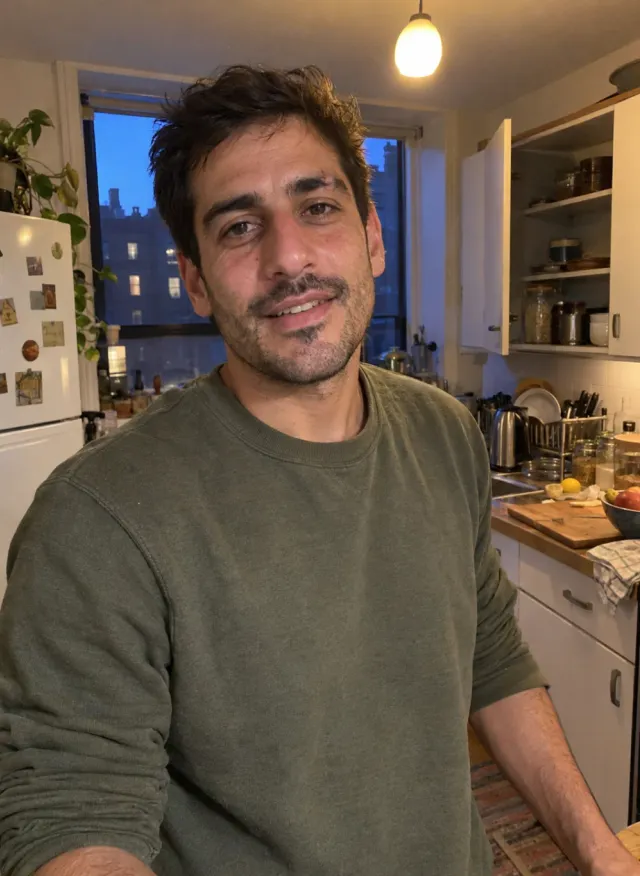
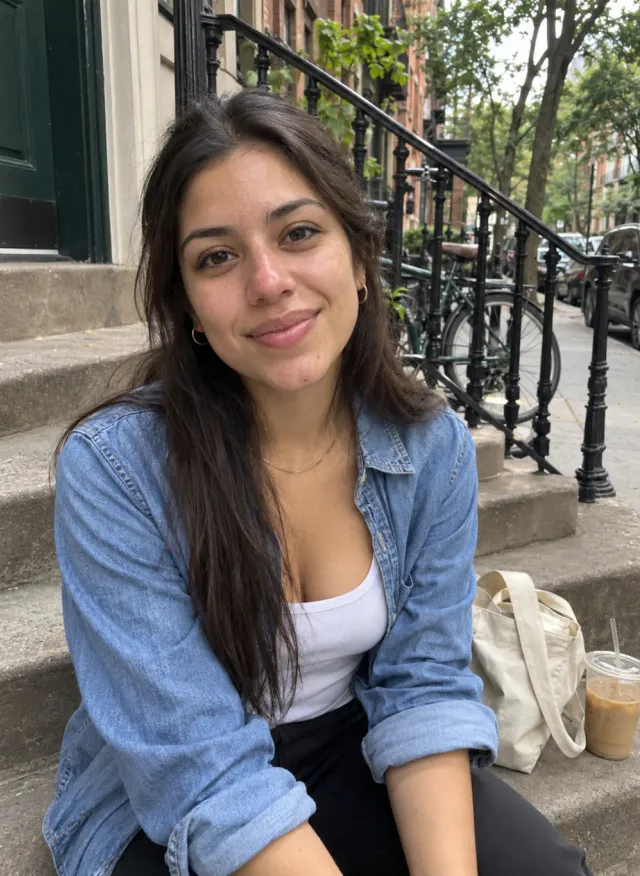
3. Select Generate
Real generated result · 12 seconds · 720p
Try with my photosExplore Rumpelstiltskin AI Video Examples
Sample videos of the Rumpelstiltskin tip toe scene. Upload a photo to make your own version.
How to Make a Rumpelstiltskin AI Video in 3 Steps
Upload a photo for the little man, the woman in the hay, or both, one person per photo. Clear, front-facing, well-lit photos work best.
Pick a resolution. Every video is 12 seconds: Standard 720p costs 10 credits (recommended) and HD 1080p 20. The cost is shown before you generate.
Sign in and generate; it’s ready in a few minutes. Download the MP4, with AI-generated sound, and post it to TikTok, Reels or Shorts.
Key Features of a Rumpelstiltskin AI Video Maker
The barn scene, ready-made
The hay barn, the tiptoe, the shush and the dance are preset. You never write a prompt.
Swap one role or both
Replace the little man, the woman in the hay, or both. Any role without a photo keeps the original person. One or two photos cost the same.
AI-generated sound
Your video comes with AI-generated sound, ready to post.
Built for posting
A 12-second 16:9 MP4 with no added watermark, ready for TikTok, Reels, Shorts and X.
Rumpelstiltskin AI Video FAQs
What is the Rumpelstiltskin AI trend?
It’s an AI-made clip: a little man in a tailcoat tiptoes through a barn, shushes the camera and breaks into a dance while a woman in the hay covers her mouth. In late September 2026 TikTok users set it to Riff Raff’s song, which is why it’s also called Tip Toeing in My Jordans. This generator remakes it with your face.
Is it from the 1987 Rumpelstiltskin movie?
No. The original clip is AI-generated and was first posted on Instagram in August 2026. The 1987 film is real, but it has no such scene, and the meme has nothing to do with Shrek’s Rumpelstiltskin either.
Does my video have the song?
Your video comes with AI-generated sound. The hook comes from Riff Raff’s 2014 song “Tip Toe Wing In My Jawwdinz”.
What photos work best?
Front-facing, good light, one person per photo, no sunglasses, upper body visible. Avoid group shots, screenshots and heavy filters.
Can I use photos of celebrities or other people?
Yes, if they agreed. The same goes for celebrities: you can’t use someone’s face to impersonate them without their consent, and don’t present a generated video as a real performance.
How long does it take?
Usually a few minutes. You can leave the page: we email you when it’s ready.
How much does it cost?
Each 12-second video costs 10 credits in Standard 720p or 20 in HD 1080p. Packs start at $9.99 for 10 credits, down to $8.33 per Standard video in the 60-credit pack.
Can I replace just the woman?
Yes. Each box replaces one character: put a photo in the little man’s box, the woman’s box, or both. You need at least one photo, and any character without a photo stays as in the original clip. One or two photos cost the same.