How to Make a Rumpelstiltskin AI Video With Your Photo
To make a Rumpelstiltskin AI video, upload a front-facing photo for the little man, the woman in the hay, or both, pick 9:16 or 16:9 and 720p or 1080p, and generate. You get a 12-second clip of the Tip Toeing in My Jordans scene with your face. A video is usually ready in about 13 minutes.
One photo, and you star in your own tip toe video
You play the little man in a 12-second video with AI-generated sound, usually ready in about 13 minutes. Halloween with family or friends? Add a second photo next for the woman in the hay.
You have left · 1 video $9.99 · or 3 for $24.99 · 1 video in 1080p $24.99 · or 3 for $69.99 · see pricing
4s · 480p · watermark · 1 per account
Quick check before your free preview
What you need to make a Rumpelstiltskin AI video
- One or two photos. One person per photo, face clearly visible. JPG, PNG or WebP, up to 10 MB.
- Price. You pay per video: a Standard 720p video starts at $9.99 and an HD 1080p video at $24.99. One or two photos cost the same.
- Consent. You must be 18 or older, and every photo must be of you or of someone who agreed to be in it.
You don’t write a prompt. The barn, the tiptoe, the shush and the dance are already set up.
The 3 steps
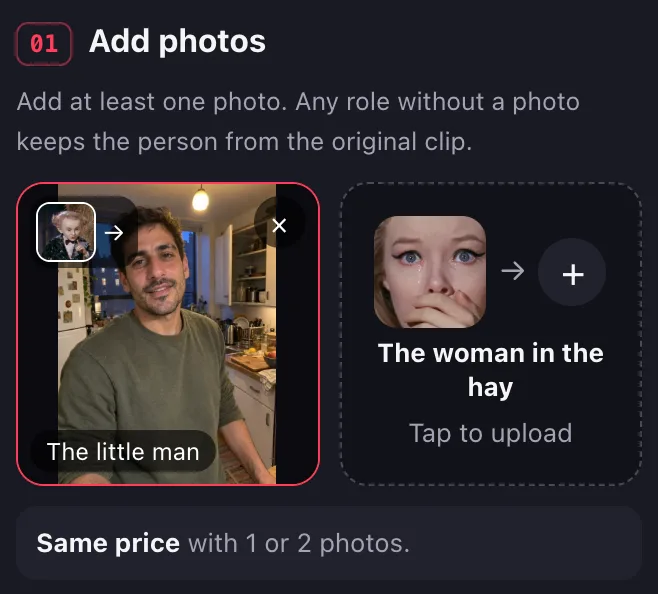
1. Upload your photo
There are two boxes: one for the little man and one for the woman in the hay. Put a photo in one box or both. Any role without a photo stays as it is in the original clip.
2. Pick 9:16 or 16:9, then 720p or 1080p
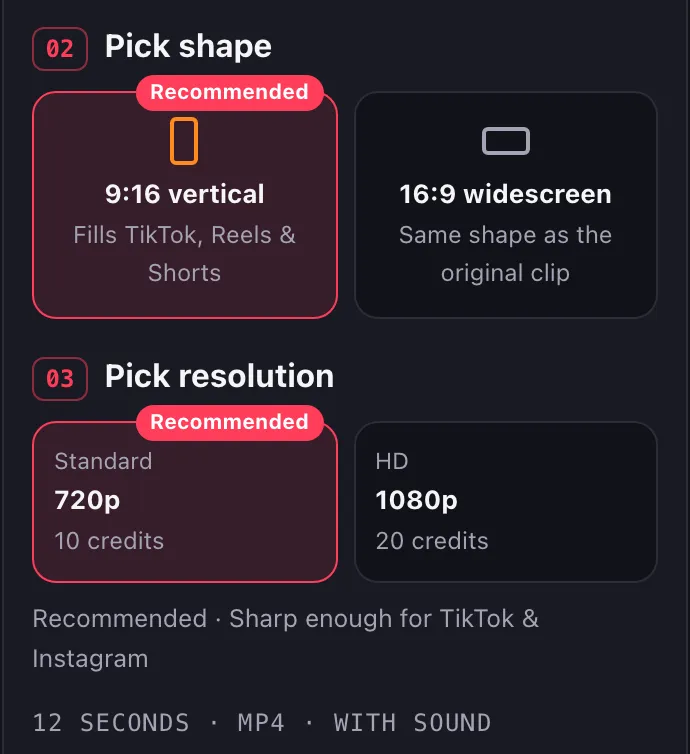
Every video is 12 seconds long. First pick a shape: 9:16 vertical (the default) or 16:9 widescreen, at the same cost. Then pick a resolution: Standard 720p (from $9.99) is the default and is sharp enough for TikTok and Instagram. HD 1080p (from $24.99) is for bigger screens or further editing. The price shows before you generate.
3. Generate and download
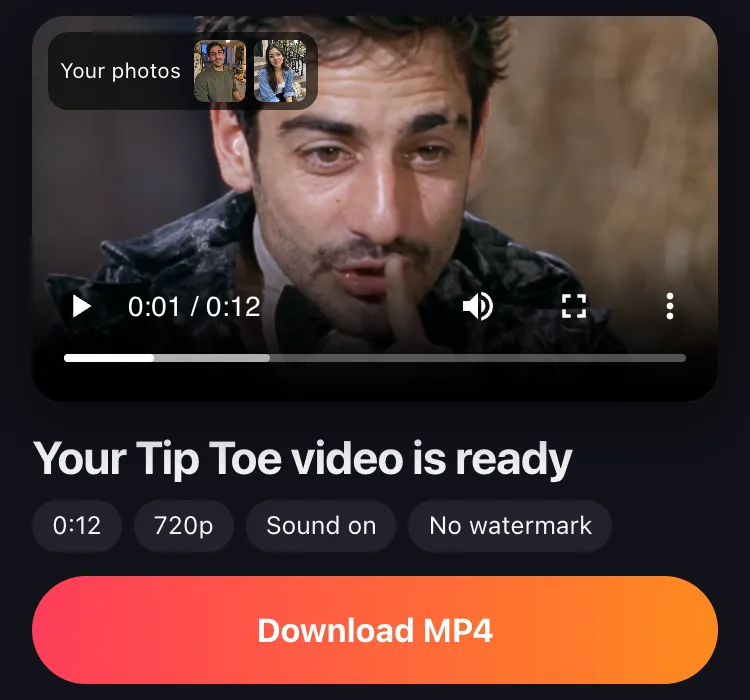
Sign in and select Generate. You can leave the page; we email you when the video is ready. Download the MP4. It comes with AI-generated sound and no added watermark. Want to see your faces first? Signed in with Google, you can try one free preview before you pay.
One photo or two: who gets replaced
The scene has two characters, and each upload box replaces one of them.
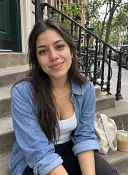

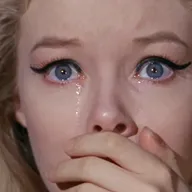
AI-generated examples made on this site from AI-generated sample photos.
- Two photos. Both people are new. The little man and the woman both get the faces from your photos, and the costumes stay the same: his black velvet tailcoat and her cream dress.
- One photo, little man only. The woman stays the original actress from the clip.
- One photo, woman only. The little man stays as he is in the original.
Two photos cost the same as one, so if you have a friend who agreed to join, add them.
Photo tips for a better likeness
The clearer the photo, the more the video looks like you. Check these before you upload.
Use a front-facing, evenly lit photo
Face the camera with your whole face in the frame. Daylight from a window works. No sunglasses, masks or heavy filters.
One person per photo
In a group photo it’s unclear which face to use. Crop out anyone else, and upload one photo per role.
Not a good likeness? Try another photo
If the video doesn’t look enough like you, generate again with a sharper, straight-on photo.
How long it takes
About 13 minutes. You can leave the page; we email you when it’s ready.
- Show your upper body if you can.
- Use the original photo, not a screenshot or a photo of a screen.
The AI keeps your face, hair, skin tone and age, and dresses you in the original costume. Your clothes in the photo don’t matter.
Shape, resolution and price
| Standard 720p | HD 1080p | |
|---|---|---|
| Length | 12 seconds | 12 seconds |
| Shape | 9:16 vertical or 16:9 widescreen | 9:16 vertical or 16:9 widescreen |
| Price for one video | $9.99 | $24.99 |
| Best for | TikTok, Reels, Shorts | Big screens, further editing |
Video packs: $9.99 for 1 video, $24.99 for 3 videos, $69.99 for 10 videos. You pay once, with no subscription, and videos you buy never expire. Google accounts can try one free 4-second preview with a watermark first. If a video fails, it goes back to your balance automatically. See pricing for refunds.
Posting your tip toe video on TikTok and Reels
- The MP4 comes with AI-generated sound.
- Pick 9:16 vertical to fill the screen on TikTok, Reels and Shorts, or 16:9 widescreen to keep the shape of the original clip.
- Label it as AI-generated when you post. TikTok’s Community Guidelines require creators to label AI-generated content that shows realistic-looking scenes or people, and unlabeled content may be removed, restricted or labeled by TikTok.
- Tag the people in it only if they agreed to be in the video.
CapCut template vs AI video
A CapCut template is an edit someone else made, with clips you can replace with your own photos or videos. Your media goes into the template’s slots, and the barn scene itself doesn’t change. To be the little man inside the barn, the scene has to be redrawn with your face, which is what an AI video does.
It doesn’t look like me: what to do
- Check the photo against the tips above: a side angle, sunglasses, a filter or a small face in a group shot gives the AI less of your face to work with.
- Pick a different photo: sharper, straight-on, in even light.
- Generate again. Each render is a new video, and a different photo can fix a flaw the first one had.
A video goes back to your balance automatically when it fails or is blocked. A video that rendered successfully is used up, even if you don’t like the likeness, so pick your best photo first.
Make your Rumpelstiltskin AI video
Upload a photo and make yours with the Rumpelstiltskin AI video generator. Not sure what the clip is? Read where the Rumpelstiltskin meme came from.
FAQs
How to do the tip toe in my Jordans trend?
Upload a photo of yourself for the little man, add a friend’s photo for the woman if you like, pick 9:16 or 16:9 and 720p or 1080p, and generate. You get a 12-second version of the barn scene with your faces, ready to post.
How to make a tip toeing in my Jordans meme?
Decide who plays which role. Your photo goes in the little man’s box, a friend’s goes in the woman’s box, or use only one box and keep the other character from the original. Then generate and download the MP4.
How to do the tip toe CapCut tut?
A CapCut template drops your own clips into someone else’s edit. It doesn’t put your face on the little man in the barn. For that, use an AI video generator that redraws the scene with your photo.
How long does it take?
About 13 minutes. You can leave the page; we email you when the video is ready.
Is there a free AI video generator that doesn’t have any restrictions?
Not here. Google accounts get one free 4-second preview with a watermark that can’t be downloaded, and a full 720p video starts at $9.99. You also need to be 18 or older, and every photo must be of you or of someone who agreed to be in the video.
Can I use photos of celebrities or other people?
Only people who agreed to be in the video, famous or not. A tip toe remake is a joke format: don’t pass it off as something the person really did, and don’t use it to pretend to be them.